Inkscape怎么更改采集敏感度像素值
1、在“Inkscape”主界面中,按下“Shift + Ctrl + P”快捷键,打开首选项。

1、在“首选项”界面中,点击“采集敏感度”列表项。
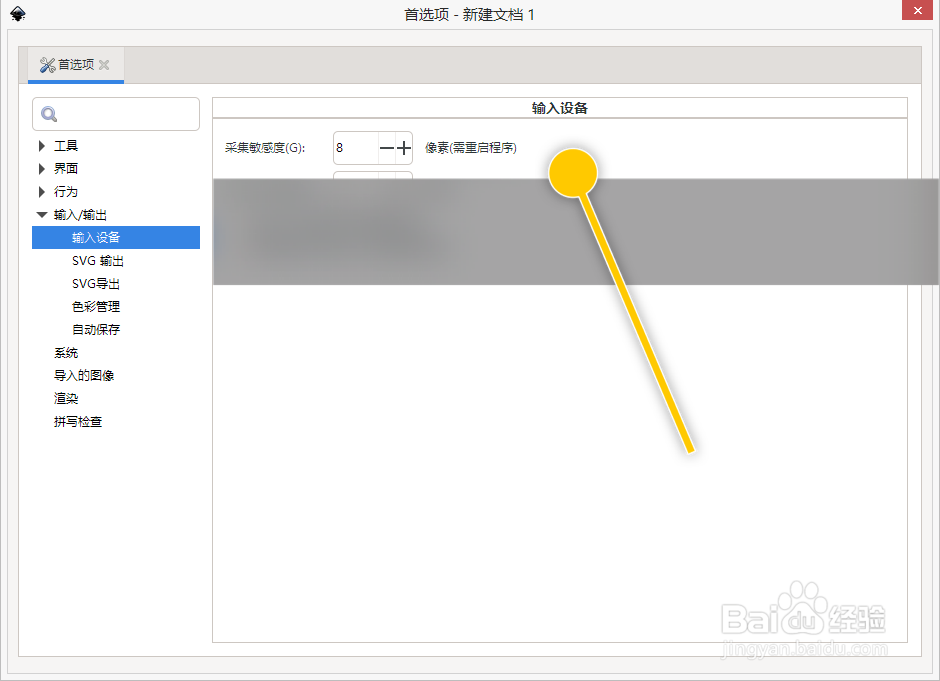
2、点击“- / +”按钮,更改像素值即可。

阅读量:36
阅读量:86
阅读量:89
阅读量:67
阅读量:98
1、在“Inkscape”主界面中,按下“Shift + Ctrl + P”快捷键,打开首选项。
1、在“首选项”界面中,点击“采集敏感度”列表项。
2、点击“- / +”按钮,更改像素值即可。