DCP-1618打印机如何扫描文件?
1、电脑连接DCP-1618打印机。
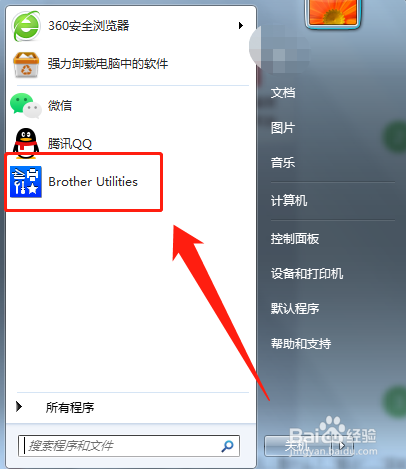
2、电脑端,打开“Brother Utilities”。
3、Brother Utilities控制页面,选择打开“扫描”。

4、扫描页面,选择打开“control center4”。

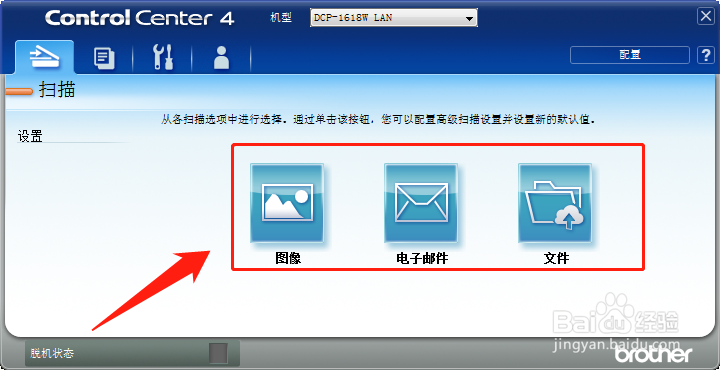
5、control center4页面,选择“图像”,点击扫描,就可以扫描文件了。
阅读量:176
阅读量:65
阅读量:73
阅读量:117
阅读量:43
1、电脑连接DCP-1618打印机。
2、电脑端,打开“Brother Utilities”。
3、Brother Utilities控制页面,选择打开“扫描”。
4、扫描页面,选择打开“control center4”。
5、control center4页面,选择“图像”,点击扫描,就可以扫描文件了。