keil5安装教程
1、双击安装包exe文件,点击Next按钮

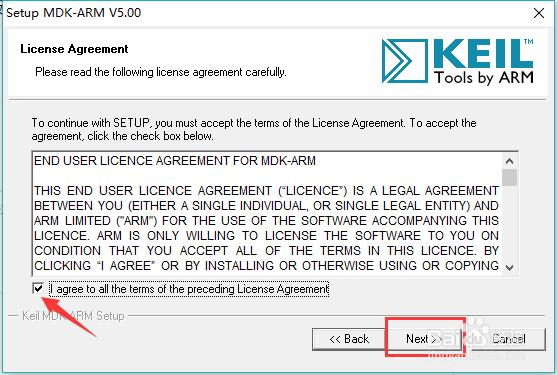
2、勾选I agree to all the terms of the preceding License Agreement,继续点击Next
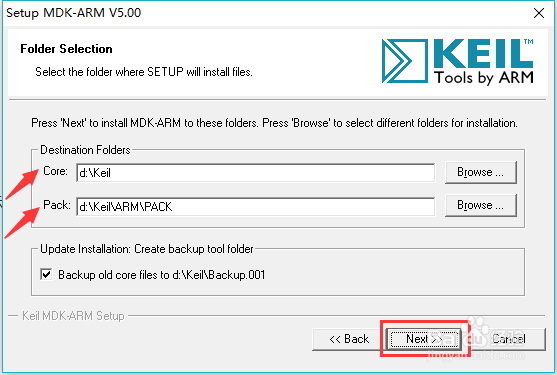
3、选择安装路径和包的存放位置,继续点击Next
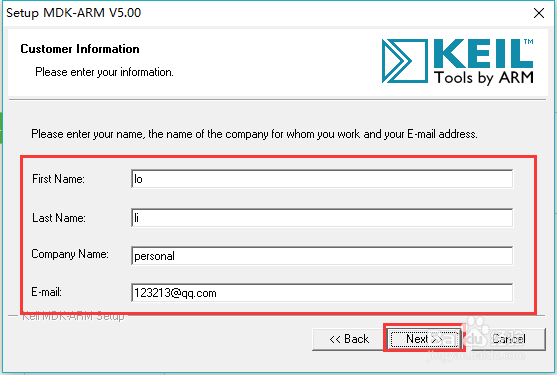
4、填写相关信息,如姓名、公司名、邮件等等,可以随意填写,继续点击Next
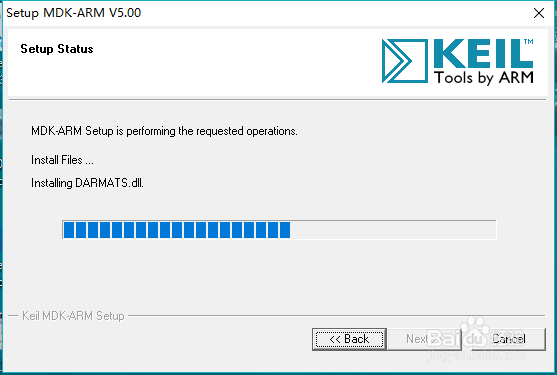
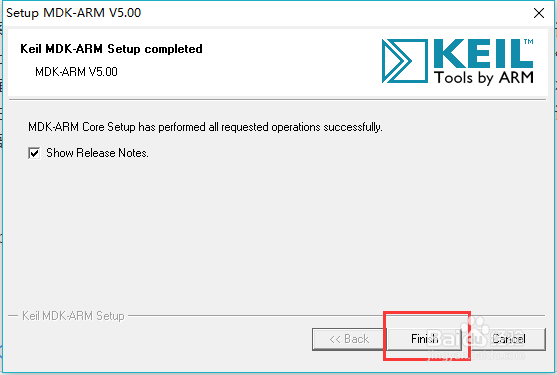
5、等待安装,点击Finish,完成安装即可
阅读量:87
阅读量:165
阅读量:102
阅读量:41
阅读量:128
1、双击安装包exe文件,点击Next按钮
2、勾选I agree to all the terms of the preceding License Agreement,继续点击Next
3、选择安装路径和包的存放位置,继续点击Next
4、填写相关信息,如姓名、公司名、邮件等等,可以随意填写,继续点击Next
5、等待安装,点击Finish,完成安装即可