intellij idea2017 设置界面字体
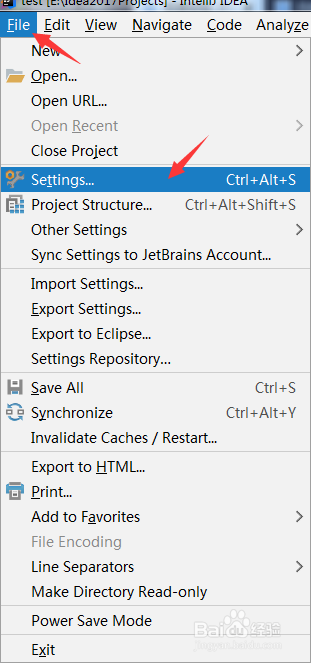
1、点击菜单栏【file】,然后选择【setting】菜单项
2、选择【Appearance & Behavior】》【Appearance】

3、选择右侧,设置【size】
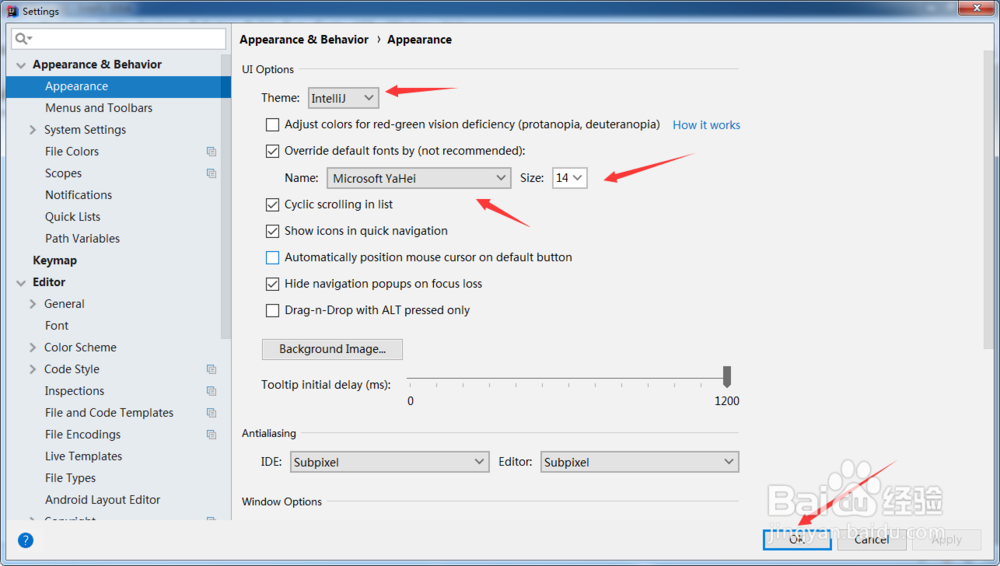
4、点击【OK】,idea界面字体大小发生变化。
阅读量:29
阅读量:40
阅读量:149
阅读量:90
阅读量:27
1、点击菜单栏【file】,然后选择【setting】菜单项
2、选择【Appearance & Behavior】》【Appearance】
3、选择右侧,设置【size】
4、点击【OK】,idea界面字体大小发生变化。