指南经验网
首页
美食营养
生活百科
知识问答
生活知识
返回
指南经验网
首页
美食营养
游戏数码
手工爱好
生活知识
生活百科
健康养生
运动户外
职场理财
情感交际
母婴教育
时尚美容
知识问答
更多知识
搜索
钉钉app如何发起群接龙
2026-05-02 19:01:07
1、我们先打开钉钉主页后,点击需要发起接龙的群聊;
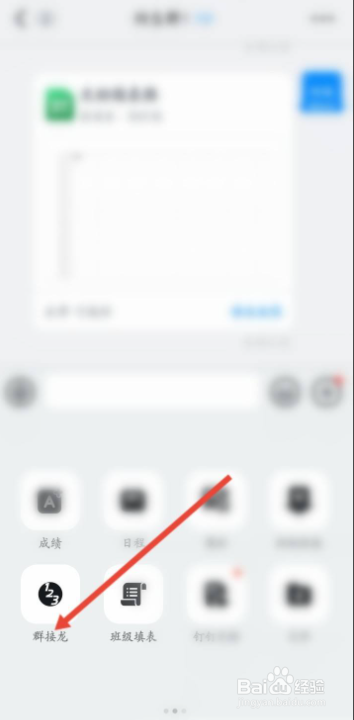
2、当我们进入群聊页面后,点击+号图标;
3、在展开的选项里,点击左下角的群接龙按键;
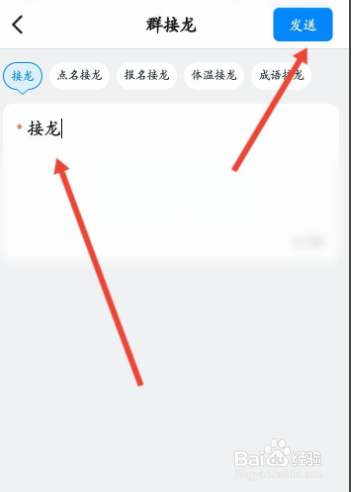
4、最后,我们输入接龙的内容,并点击发送即可。
相关推荐
钉钉怎么参与群接龙
阅读量:93
钉钉怎么发送点名接龙?
阅读量:54
钉钉怎么接龙
阅读量:149
钉钉群接龙如何使用
阅读量:126
钉钉接龙怎么操作
阅读量:123
猜你喜欢
面瘫后遗症怎么治疗
罪恶都市攻略
每天晚上失眠怎么办
丫鬟怎么写
镇江旅游攻略必玩的景点
奥特曼格斗进化0攻略
勇者斗恶龙8攻略
郑州减肥训练营
云裳羽衣攻略
明星是怎么减肥的
猜你喜欢
28天懒人减肥计划
对不起的英语怎么写
服装色彩搭配
天堂门怎么做
红烧排骨土豆
狗瘟怎么治
杨坚简介
纪念碑谷2攻略
抽风怎么办
寄生前夜2攻略